Why You Need to Log Your REPS and STR Hours
If you're claiming Real Estate Professional Status (REPS) or using the STR Loophole to deduct rental losses against your active income, there's one thing that makes or breaks your tax strategy: your time log.
The IRS doesn't take your word for it. Tax Courts don't accept estimates. And reconstructing your hours after the fact — during tax prep or worse, during an audit — is the single most common reason investors lose their REPS or STR deductions.
Your hours are your proof. Without a documented, detailed, contemporaneous record, your tax savings are at risk.
What the IRS Requires
To qualify for REPS, you must prove you spent 750+ hours in real property trades or businesses and that real estate was more than 50% of your professional time. To qualify under the STR Loophole, you must prove material participation — typically 100+ or 500+ hours depending on which test you use.
In both cases, the burden of proof is on you.
The IRS's Passive Activity Loss Audit Technique Guide is the playbook auditors use when examining REPS and STR claims. It instructs examiners to:
Request detailed time logs with dates, hours, and task descriptions
Verify that logs were created contemporaneously (as work was done, not after the fact)
Cross-reference log entries against receipts, bank statements, and contractor records
Compare your claimed hours against your other professional commitments
Evaluate whether claimed hours are realistic and credible
If you have a W-2 job and claim 800 hours of real estate work, the auditor will do the math. Can you really work 40 hours at your job AND 16+ hours a week on real estate? Your log needs to tell a believable, well-documented story.
What Happens Without a Log
Your Deductions Get Disallowed
The most direct consequence: the IRS reclassifies your rental losses as passive. Those losses can no longer offset your W-2 income. They get suspended and can only offset future passive income. For many investors, this means owing thousands or tens of thousands in additional taxes, plus interest.
You May Face Accuracy Penalties
If the IRS determines your REPS or STR claim was substantially incorrect, you could face a 20% accuracy-related penalty on top of the additional tax owed. For a $50,000 disallowed deduction in the 35% bracket, that's $17,500 in extra tax plus a $3,500 penalty — before interest.
Prior Years Get Scrutinized
An audit doesn't stop at the current year. The IRS can — and often does — review prior years when a REPS claim is challenged. If you've been claiming REPS for three years without adequate documentation, all three years may be adjusted.
What Tax Courts Have Said
Tax Court cases provide the clearest guidance on what documentation survives scrutiny:
Logs Must Be Specific
In multiple cases, vague entries like "worked on rental" or "property management" have been rejected. The court expects descriptions that identify the specific property, the specific task, and the time spent. A good entry says what you did, where you did it, and how long it took.
Estimates Don't Cut It
Courts have consistently held that the IRS is not required to accept ballpark estimates of hours. If your log is a rough reconstruction created months or years after the work was done, it carries little weight. Taxpayers who present detailed, dated entries created in real time have a dramatically stronger position.
Unrealistic Claims Get Rejected
In one case, a taxpayer claimed hundreds of hours for activities like writing checks and reviewing mortgage statements. The Tax Court evaluated how long those tasks would actually take based on common sense and rejected the inflated totals. Your log needs to be honest and credible.
Corroboration Strengthens Your Case
In a successful 2023 audit defense, a taxpayer presented cloud-based digital time logs alongside matching vendor invoices and phone GPS mileage reports. The combination of a detailed log plus external evidence was considered strong proof, and the deductions were upheld.
What a Good Time Log Looks Like
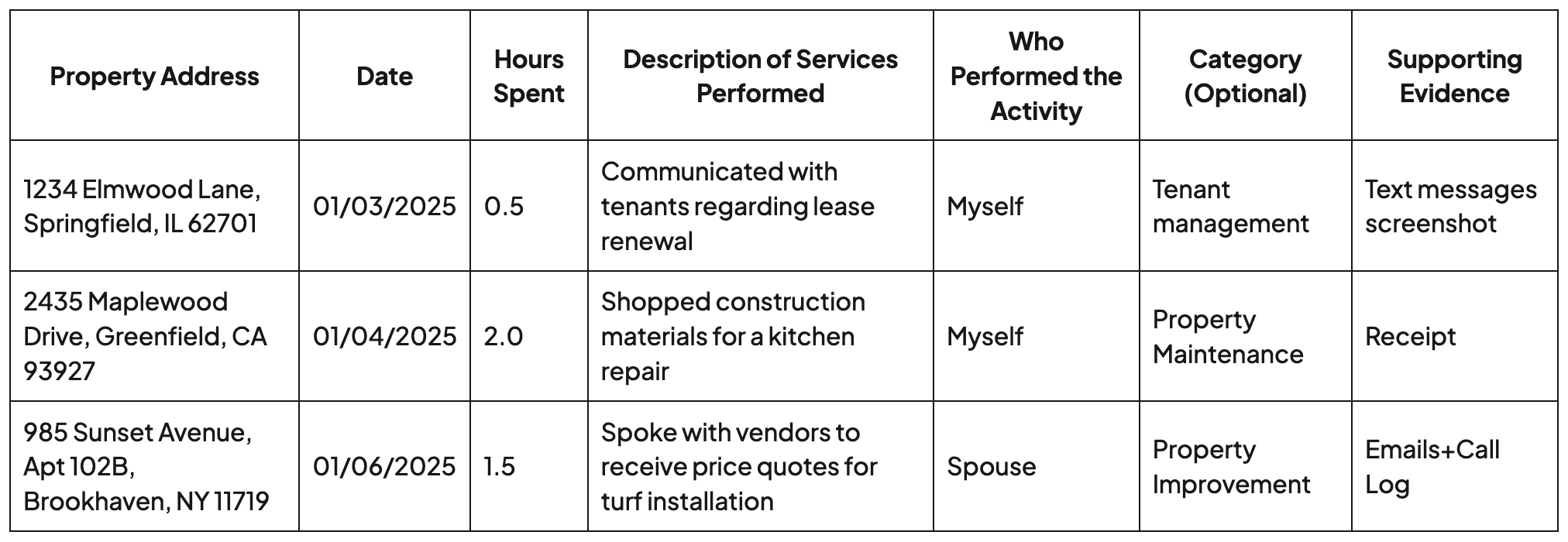
A defensible time log includes five elements for every entry:
Date — when the work occurred
Hours — how long you spent (be precise, not round numbers every time)
Property — which property the work related to
Description — what you did, with enough specificity to be credible
Participant — who did the work (you, your spouse, a contractor)
Example Log Entries
Spreadsheet vs. Dedicated App
Many investors start with a spreadsheet. That works — until it doesn't.
Common problems with spreadsheets:
Not mobile friendly — while a desktop version be ok, editing spreadsheets on mobile is a nightmare.
Hard to attach evidence — you can't easily link receipts or photos to specific entries
Reconstruction risk — a spreadsheet with all entries added at once (same metadata timestamps) can look like it was created after the fact
No progress tracking — you have to manually calculate whether you're on pace for your hourly thresholds
No AI tools — spreadsheets do not have smart AI tools that help you log faster and more efficiently.
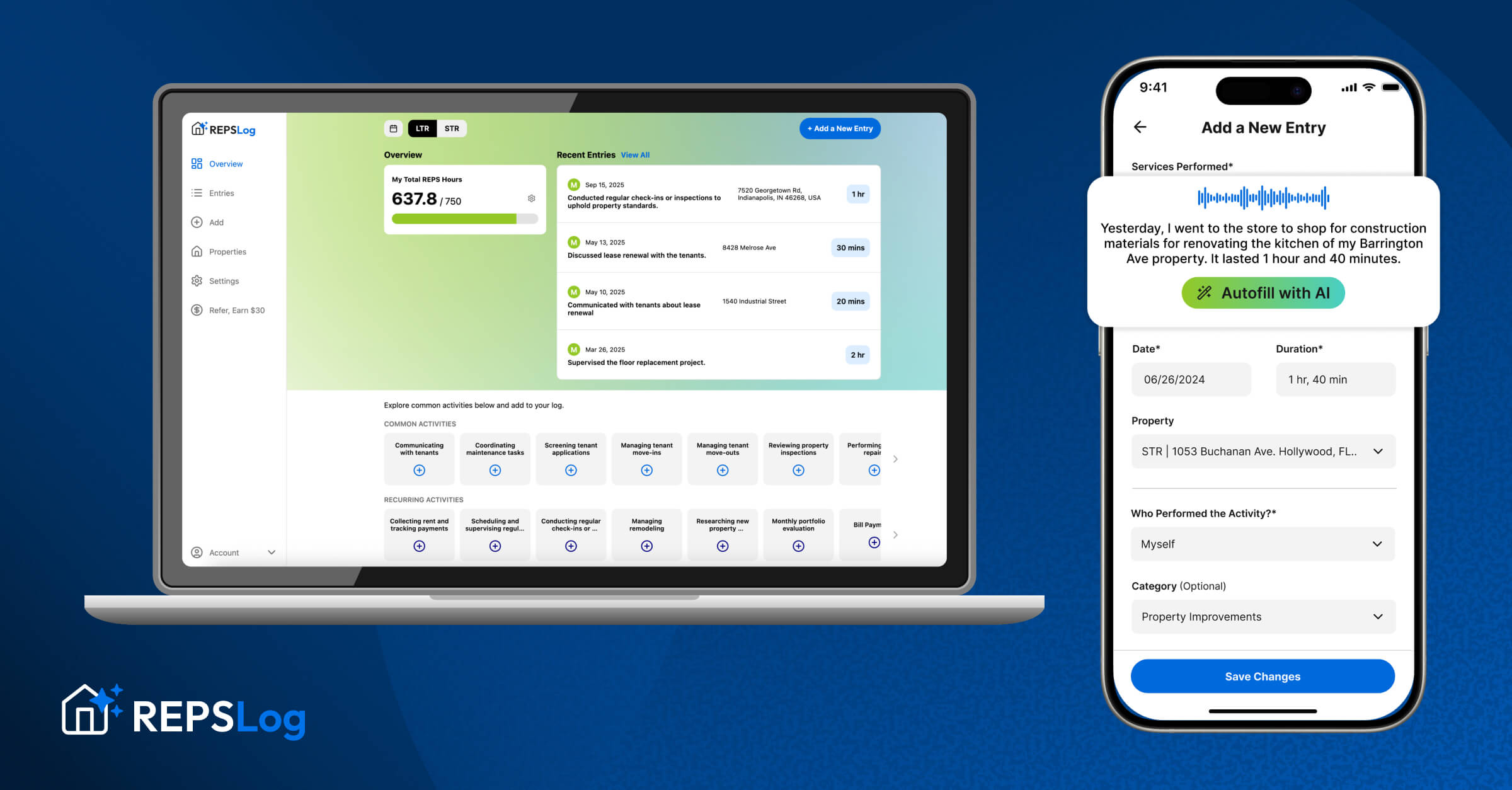
A purpose-built app solves these problems by making logging fast, attaching evidence directly to entries, tracking your progress in real time, and creating a timestamped digital record that demonstrates contemporaneous logging.

Start Tracking for Free!
Tips for Building a Bulletproof Log
Log as You Go
The single most important habit. Log your hours the same day you do the work — or at most, within a few days. Weekly batch logging is acceptable. Year-end reconstruction is not.
Be Specific, Not Verbose
You don't need to write a novel. But "property management" is too vague. "Reviewed 3 tenant applications for 456 Oak Ave, called references for top applicant" is specific enough.
Track Everyone's Hours
If anyone else works on your properties — spouse, cleaner, property manager, handyman, co-host — log their hours too. This is critical for the 100-hour / no-one-more test and also demonstrates thoroughness to an auditor.
Keep Supporting Evidence
For major tasks, save the corroborating evidence: the receipt from Home Depot, the email thread with the contractor, the photo of the completed repair. You don't need evidence for every single entry, but having it for significant ones strengthens your entire log.
Don't Pad Your Hours
Honesty is your best audit defense. A log with realistic, varied hours is far more credible than one where every week shows exactly 15 hours of neatly rounded entries. Real work is messy — your log should reflect that.
Review Monthly
Once a month, scan your log for gaps. Did you forget to log that trip to the property? That call with the tenant? Catching gaps early — while the work is still fresh — is much better than trying to remember at year-end.